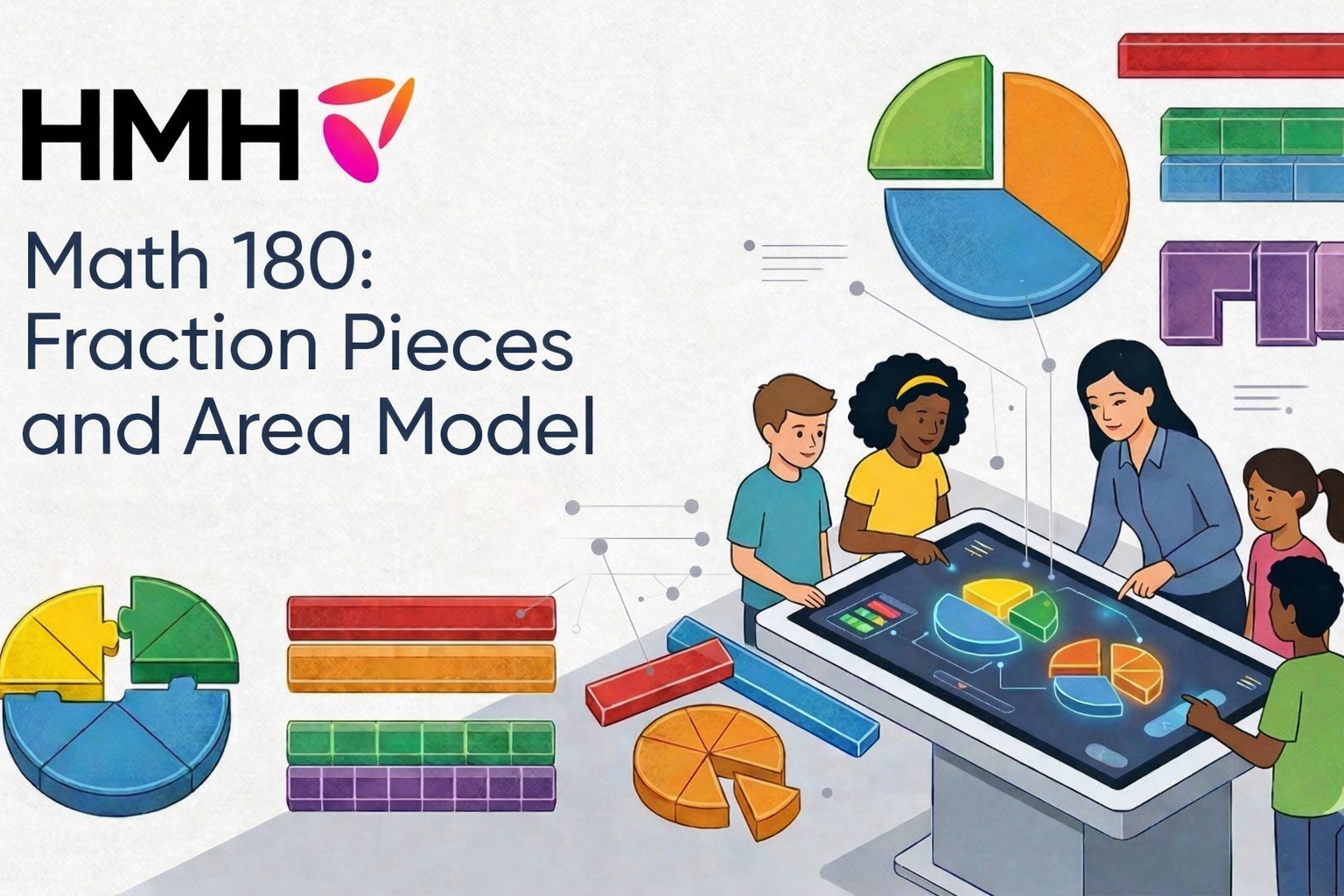
Overview
With a focus on what moves each learner, HMH delivers what educators need to foster growth and build lasting momentum. The company creates integrated K–12 learning solutions for core, supplemental, intervention, assessment, and professional learning—delivered on one streamlined platform.
There was a need to evaluate whether young students could intuitively understand and execute the core interactions within the fraction and area model tools—such as selecting multiple pieces, using interface controls (e.g., scissors), and completing multi-step tasks—without additional guidance.
NOTE
Please note that only a few parts of the projects are shared to ensure compliance with HMH’s NDA.
Impact
Math 180 serves students who are already navigating significant learning gaps: in 2024, 39% of U.S. eighth-graders performed below NAEP Basic in mathematics. This makes the usability of digital intervention tools particularly important. Research has also shown that students’ understanding of fractions in elementary and middle school predicts later achievement in algebra and mathematics, meaning that unnecessary interaction barriers can get in the way of work on a foundational mathematical skill.
In digital math environments, that added friction can have real consequences: poor UX has been reported to trigger math anxiety and reduce student performance by 15%–20% compared with paper-and-pencil work, while technology troubleshooting can consume up to 15 minutes of class time.
To reduce those risks within Math 180, I led formative usability testing of the Fractions experience to identify high-friction interactions and cognitive bottlenecks across the student workflow. The research surfaced critical navigation and interaction barriers early, giving the product and design teams clear direction for improving answer-entry and problem-solving flows so students could devote more of their attention to mathematical reasoning rather than figuring out how to use the interface.
Approach
Method and Analysis
Research approach: Qualitative
Research method: Usability Testing
Data Collection
Instrument: Structured interview guide
Main study: 7 students in grades 6-8
Data Analysis
Task-based analysis
Sample Tasks
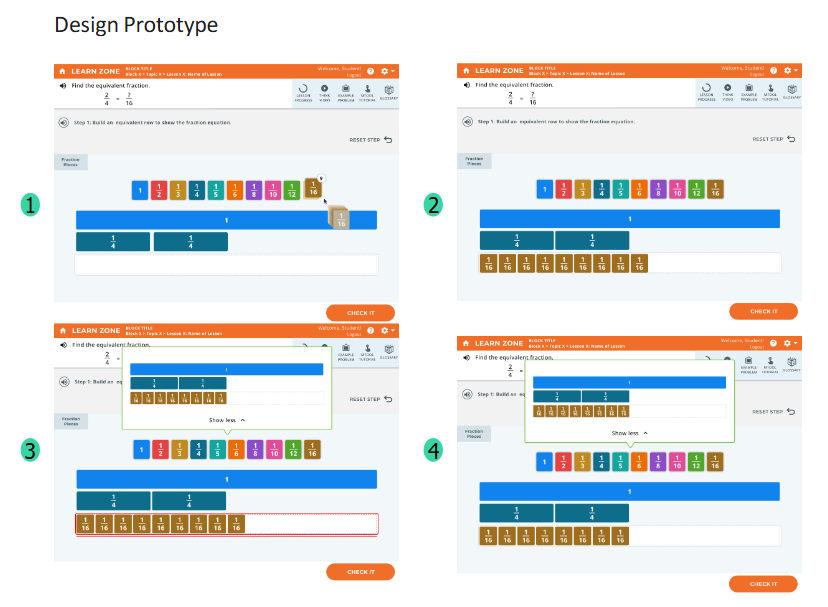
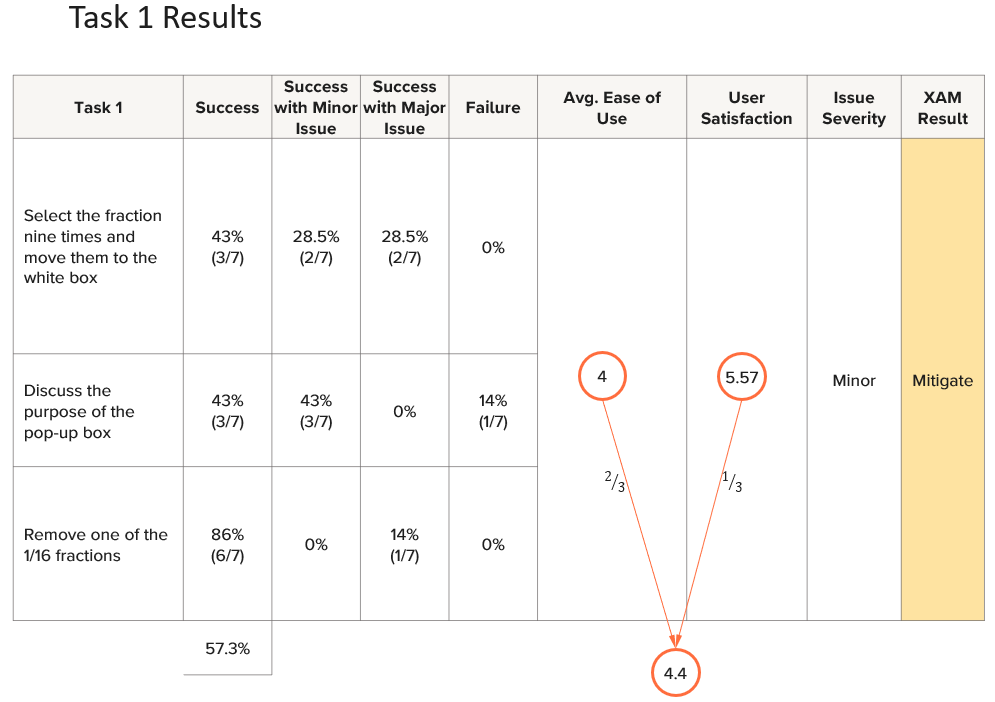
-Select the fraction nine times & move them to the white box.
-Discuss the purpose of the pop-up box.
-Remove one of the 1/16 fractions
Team
Number of team members: 6
My role: Principal Researcher
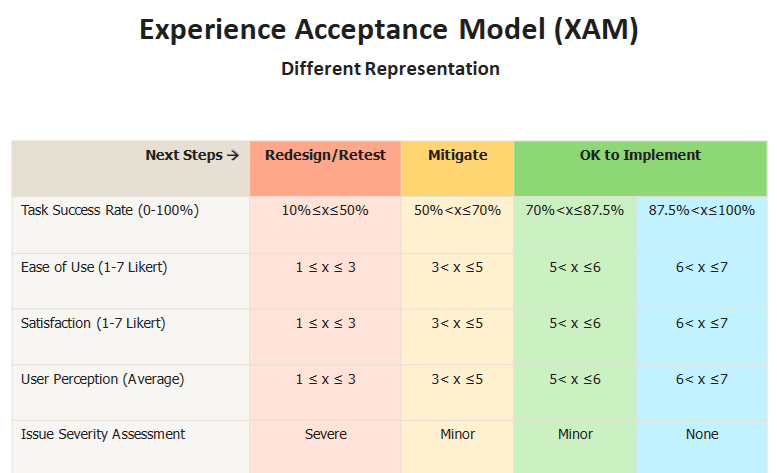
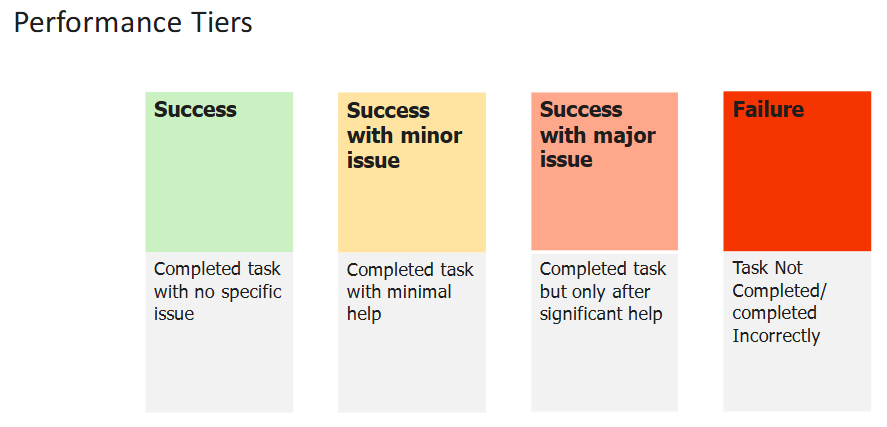
Prototype and Measurement Criteria
Observations
Participants consistently expected to “drag” fractions, rather than click.
Participants had varied interpretations of the pop-up box. Three identified the box purpose correctly, three thought it is the mirror of their answers, and one couldn’t understand the purpose/meaning of it.
Removal interaction was unintuitive; although most participants eventually succeeded, it was through trial-and-error rather than clear understanding.
Key Insights
1- The current design conflicts with users' mental models, as most naturally expected drag-and-drop interactions. Additionally, limitations in the prototype caused users to struggle when attempting to move the fraction before selecting it nine times—an issue that does not occur in the actual product.
2- Feedback box design currently lacks clarity and is not self-explanatory, resulting in inconsistent understanding among participants.
3- Current removal interactions lack clear affordances, leading to guesswork. Users expect an obvious and intuitive removal mechanism, supported via explicit visuals.
Recommendations
While addressing the accessibility requirements, consider including both interaction designs to align with users’ intuitive expectation of drag-and-drop functionality.
Provide an intuitive, familiar removal option, such as a clearly labeled "trash bin," an "X" icon, or explicit instructions (e.g., "click again to remove").
Clearly label the pop-up box to explicitly indicate its purpose (e.g., "Correct Answer"). Also, make the visual indicators such as error signals in red outlines more prominent as it helps users interpret the meaning of the pop-up after seeing it.
“It showed me what I did wrong and, like, what I need to do.”
Sample Quotes
“there should be, like, a little trash can on the corner, and then you just drag it into the trash can, and then it just disappears”
“[…] but like clicking and like the dragging part was kind of difficult.”